REVIEW · KYOTO
Calligraphy & Digital Art Workshop in Kyoto
Book on Viator →Operated by Studio Aya · Bookable on Viator
Ink meets iPad in Kyoto. This 90-minute workshop at Studio Aya blends traditional calligraphy (or suibokuga) with hands-on digital art using an iPad, plus a fun postcard-style project called etegami. Led by Ami and her team, it’s a creative class that feels both respectful of Japanese form and totally modern.
I especially like the pacing: you start with brush strokes and a calmer, grounded way of writing, then you switch gears and experiment with picture-letter effects on the iPad. I also like that you get real coaching—focused on how to improve your strokes—so even if you’ve never held a brush, you can make something you feel good about. One thing to consider: with only about 1.5 hours, you won’t master calligraphy, but you will leave with a couple solid pieces and clear ideas to keep practicing.
In This Review
- Key Things to Know Before You Go
- Studio Aya and Ami: A Modern Art Class With Real Craft
- Where the Workshop Happens: iPadmate kids in Kyoto
- Traditional Calligraphy or Suibokuga First: Learning the Feel of Ink
- The Tea and Snacks Break You Actually Get Time For
- Etegami on an iPad: Turning Characters Into Picture-Letter Postcards
- Q&A With the Studio Aya Team: Getting Your Questions Answered
- What Makes This Workshop Good Value at $72
- Who Should Book This Calligraphy + Digital Art Class
- Quick Practical Tips Before You Sit Down With the Brush
- Should You Book This Kyoto Calligraphy and Digital Art Workshop?
- FAQ
- What is the duration of the Calligraphy & Digital Art Workshop in Kyoto?
- Where is the meeting point?
- What time does the workshop start?
- Is the workshop private or shared?
- What’s included in the price?
- What is not included?
- Will I learn both traditional and digital art?
- Is there time for a break?
- Can I get a refund if my plans change?
- Is this activity suitable for most people?
Key Things to Know Before You Go
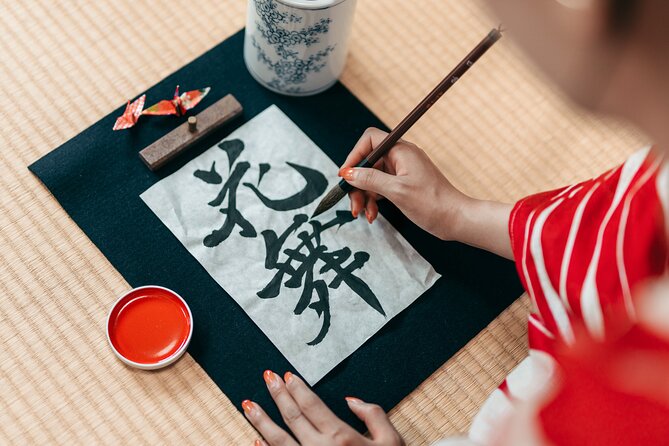
- Two-part format: traditional calligraphy or ink painting first, then digital calligraphy on an iPad.
- Etegami postcard project: you make Japanese picture letters that blend art and character.
- Tea and snacks included: the break is built in, not an afterthought.
- Guided by Studio Aya team: Ami (amity_sensei) and artists guide you step by step.
- Private class: only your group participates, so you can ask questions freely.
Studio Aya and Ami: A Modern Art Class With Real Craft
Kyoto has no shortage of cultural activities, but this one has a specific hook: you’re learning Japanese calligraphy in a traditional way and then translating that look into digital art on an iPad. That combo matters, because it’s not just a tech demo. You’re practicing how the writing feels first, then using technology to turn that style into something postcard-ready.
The class is run by Studio Aya, connected to Ami and her team. Ami has a digital art background and runs the creative-school side of her work through iPadmate kids. Her YouTube channel, amity_sensei, is known for iPad creativity, so the digital portion doesn’t feel random or gimmicky—it’s designed to teach you how to make the tools behave like art supplies.
I like that the workshop connects dots: ink and brush technique lead into what makes Japanese lettering readable and expressive. If you enjoy learning by doing—rather than watching—you’ll probably enjoy this format.
You can also read our reviews of more tours and experiences in Kyoto



Where the Workshop Happens: iPadmate kids in Kyoto
You’ll meet at iPadmate kids, 47 Daikokuyachō, Kamigyo Ward, Kyoto (602-8055). The timing starts at 3:00 pm, and the class ends back at the meeting point.
This is one of those locations where being punctual helps. It’s also close to public transportation, which is good if you’re moving around Kyoto without a private car. Private transportation isn’t included, so plan on using trains/subway/buses or a short taxi ride to get there.
The workshop uses a mobile ticket, so have your confirmation ready on your phone. You’ll also want to bring yourself in comfortable clothing, since you’re doing hands-on art.
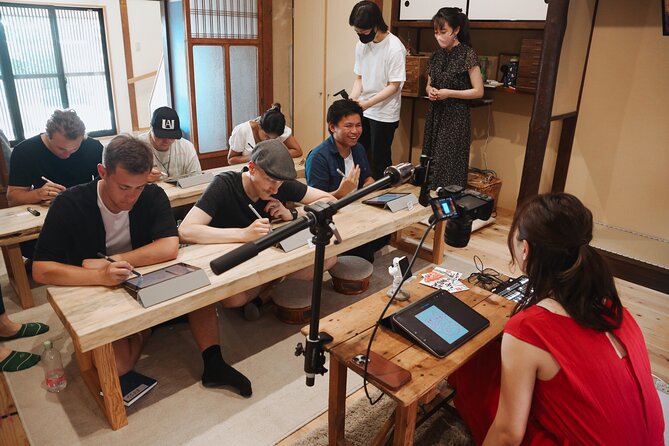
One more practical note: the workshop is described as a private tour/activity, meaning it’s just your group. That’s a real advantage if you’re traveling as a couple or family, because you’re not competing with other people for attention when you’re learning brush strokes or figuring out the iPad tools.
Traditional Calligraphy or Suibokuga First: Learning the Feel of Ink
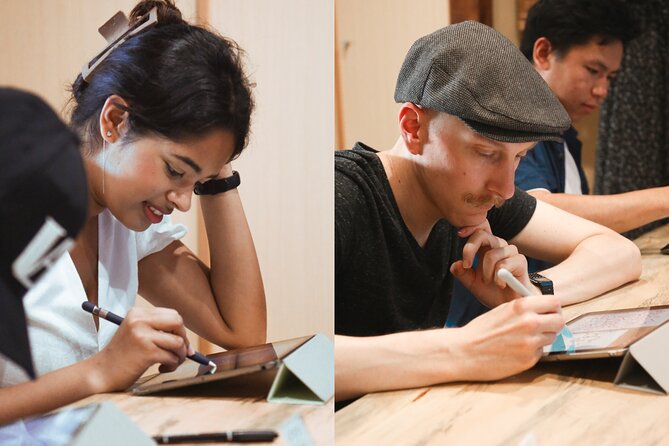
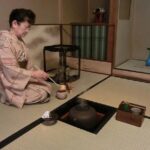
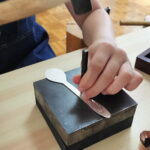
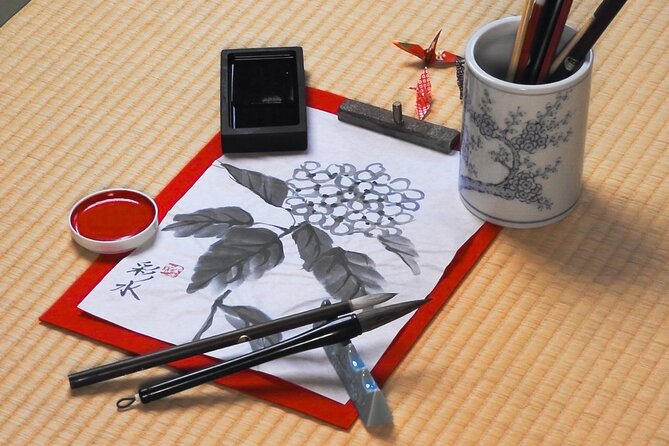
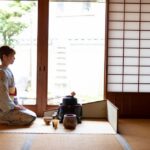
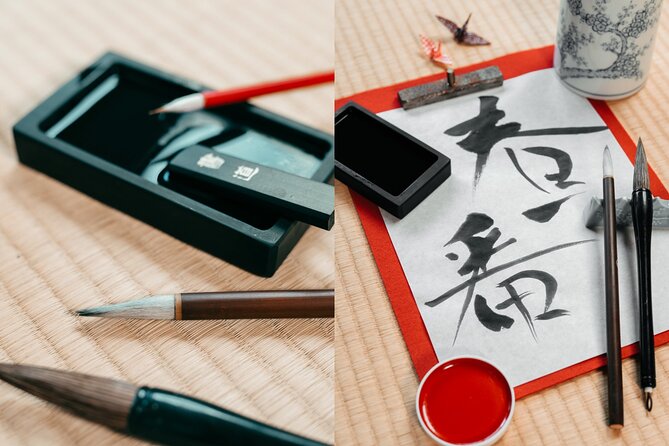
The class kicks off with about 30 minutes of traditional practice. You’ll choose or be guided through either calligraphy or suibokuga (Japanese ink painting).
This first segment is where the workshop earns trust. Instead of jumping straight to digital effects, you start with the fundamentals: brush control, stroke direction, and how to approach the writing with calm focus. One review I read highlighted that teachers helped improve brush stroke work and explained the Zen approach calligraphy takes. Even if that’s not the exact phrasing you’d use yourself, you can expect the method: slow down, place the brush deliberately, and let the character take shape.
What I’d watch for as you practice:
- How your brush lands and lifts. That tiny moment changes the look of the stroke.
- Whether you’re trying to rush the form. Good calligraphy isn’t about speed.
- How the instructor corrects your angle and pressure. Small changes can make your letters look instantly more intentional.
This portion is great for people who want authentic technique without being overwhelmed. If you’ve never done calligraphy, you’ll likely appreciate that it’s framed as skill-building, not a test.
The Tea and Snacks Break You Actually Get Time For
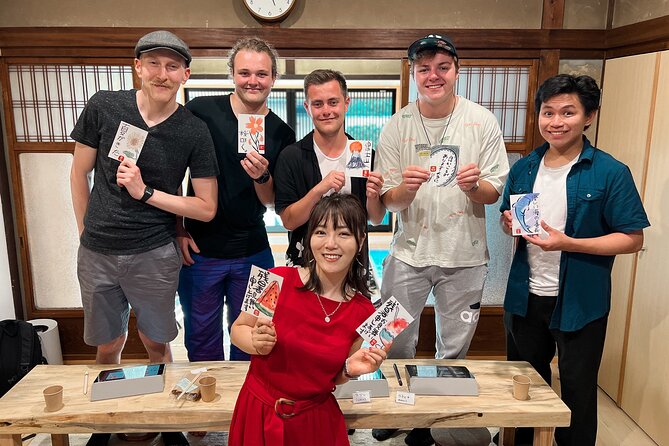
After the traditional segment, there’s a 15-minute break with free Japanese tea and snacks.
I like breaks like this in art classes because they keep the session comfortable. After concentrating on strokes and symbols, it’s nice to reset your focus, hydrate, and snack before moving to the iPad portion. Also, tea time is a natural way to chat with your instructors and other people in your group, which can make the whole experience feel warmer and less classroom-like.
If you’re traveling with kids, this break is especially helpful. It gives them a rhythm: practice first, then recharge. For adults, it keeps you from feeling mentally fried halfway through.
Etegami on an iPad: Turning Characters Into Picture-Letter Postcards
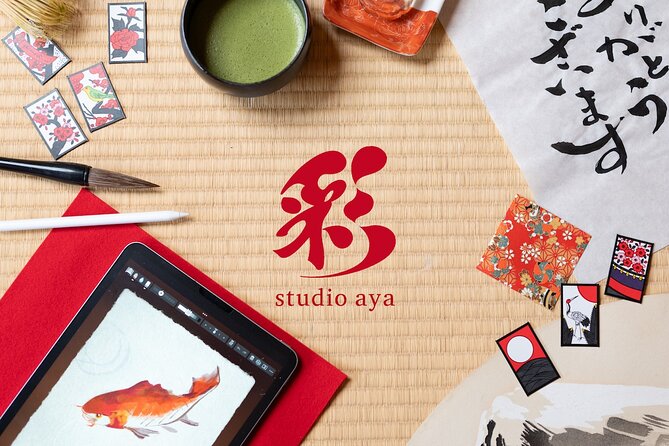
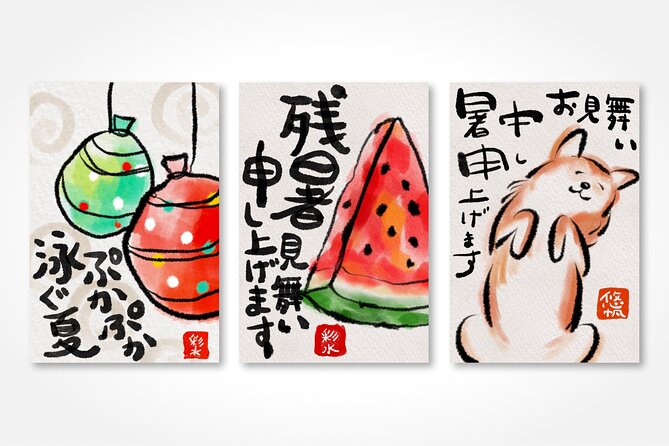
Next comes the digital segment: about 30 minutes on the iPad. This is where you learn to make etegami, which are Japanese picture letters—basically written character plus imagery that feels personal and artistic.
The workshop is designed so the digital part connects directly to what you did with ink. That’s smart. If you learn calligraphy strokes first, you can apply the same “shape awareness” to what the iPad version is doing. Your brain already has the letterforms in its muscle memory, so the iPad isn’t starting from zero.
In the iPad session, you’ll work on creating calligraphy or suibokuga-style artwork and then produce your own etegami postcard-like piece. One review mentioned making a postcard via etegami and using both paper and iPad during the course. Another highlighted learning characters on paper and on iPad. So in practice, expect the class to treat the writing as something you translate—not something you abandon when the screen comes out.
Here’s what you can aim for in this part:
- Use the digital tools to refine what you already learned about stroke shape.
- Add the picture-letter component so it feels like a message, not just a character copied neatly.
- Ask your instructor when you get stuck. Q&A is later, but you’ll still get support during the hands-on time.
If you like tinkering with apps, you’ll probably get a lot of satisfaction. And if you’re not tech-confident, the workshop’s structure is still a good match because you’re following guided steps and you already have the art concept from the traditional section.



Q&A With the Studio Aya Team: Getting Your Questions Answered
The final stretch is about 15 minutes of Q&A.
This is a small block of time, but it can be high value because your questions will be specific. You might ask about how to improve your stroke, how to think about character balance, or how to use the iPad steps in a way that matches what you made.
From what I’ve seen in similar workshops, the Q&A often becomes about technique and mindset more than software tricks. That fits this class, since it connects Zen-like discipline from calligraphy with a playful digital outlet.
What Makes This Workshop Good Value at $72
At $72 for about 1.5 hours, the value depends on what you want from the experience.
If your goal is only a quick photo opportunity, this might feel short. But if you want hands-on instruction and two distinct skill modes—traditional ink technique and digital picture-letter creation—then the price looks fair. You’re paying for real guidance plus a studio setup that includes the iPad, and you’re also getting tea and snacks included.
Also, you’re not doing this in a huge class. The private format (just your group) is a meaningful part of the value because you get more attention while you practice brush strokes and figure out the iPad process.
The bigger question is your expectation level:
- You’ll leave with pieces you created and a clearer sense of process.
- You’ll not leave as a calligraphy expert.
That’s normal. A short workshop should teach you how to practice, not replace years of training.
Who Should Book This Calligraphy + Digital Art Class
This workshop is a great fit if you:
- Want a Kyoto activity that mixes tradition with modern tools.
- Like making something tangible, like a postcard-style etegami.
- Prefer a guided, step-by-step class over wandering and browsing.
- Travel with kids or family members who enjoy hands-on arts.
It also works well for couples because the format is private and focused. And solo travelers often appreciate that the instructors are actively involved, so you’re not stuck feeling invisible in a corner.
If you hate structured activities or you’re only interested in sightseeing, you might prefer a different Kyoto plan. But if you’re here to create, learn a skill, and leave with art, this fits well.
Quick Practical Tips Before You Sit Down With the Brush
These are the small things that make art workshops smoother:
- Arrive a few minutes early so you can settle in before the first instruction.
- Wear comfortable clothes you don’t mind getting mildly messy from ink work.
- Bring a positive mindset: the goal is learning, not perfection.
- If you’re unsure what to choose, follow the instructor’s guidance for calligraphy or suibokuga.
And if you’re doing the iPad part, don’t worry about being the fastest. The workshop is about making a piece with correct technique and good style choices, not rushing.
Should You Book This Kyoto Calligraphy and Digital Art Workshop?
Yes—if you want a smart, hands-on blend of Japanese art forms in a short time. I’d book it if you’re the kind of person who learns best by doing: brush first, then iPad, then a personal etegami postcard-style result. The $72 price feels reasonable for the instruction, studio setup, and included tea and snacks, especially with the private-group setup.
I’d think twice only if you want deep calligraphy training over many hours, or if you strongly dislike tech-based art creation. For most people looking for a memorable, creative Kyoto stop that still respects craft, this is an easy yes.
FAQ
What is the duration of the Calligraphy & Digital Art Workshop in Kyoto?
The workshop lasts about 1.5 hours, including a break.
Where is the meeting point?
You meet at iPadmate kids, 47 Daikokuyachō, Kamigyo Ward, Kyoto, 602-8055, Japan.
What time does the workshop start?
The start time is 3:00 pm.
Is the workshop private or shared?
It’s a private tour/activity. Only your group participates.
What’s included in the price?
The included items are an iPad, plus Japanese snacks and tea.
What is not included?
Private transportation is not included.
Will I learn both traditional and digital art?
Yes. The workshop includes traditional calligraphy or suibokuga first, then a digital art session on an iPad to make picture letters called etegami.
Is there time for a break?
Yes. A 15-minute break is built into the schedule, with tea and snacks provided.
Can I get a refund if my plans change?
Free cancellation is available. You can cancel up to 24 hours in advance for a full refund.
Is this activity suitable for most people?
Most travelers can participate, and service animals are allowed. The meeting point is near public transportation.